License Plate Recognition Service
The ALPR (Automatic License Plate Recognition) Service allows users to control ALPR engines and ALPR database for license plate detection and recognition tasks
To access the service, go to APLR Service in the Setting page.
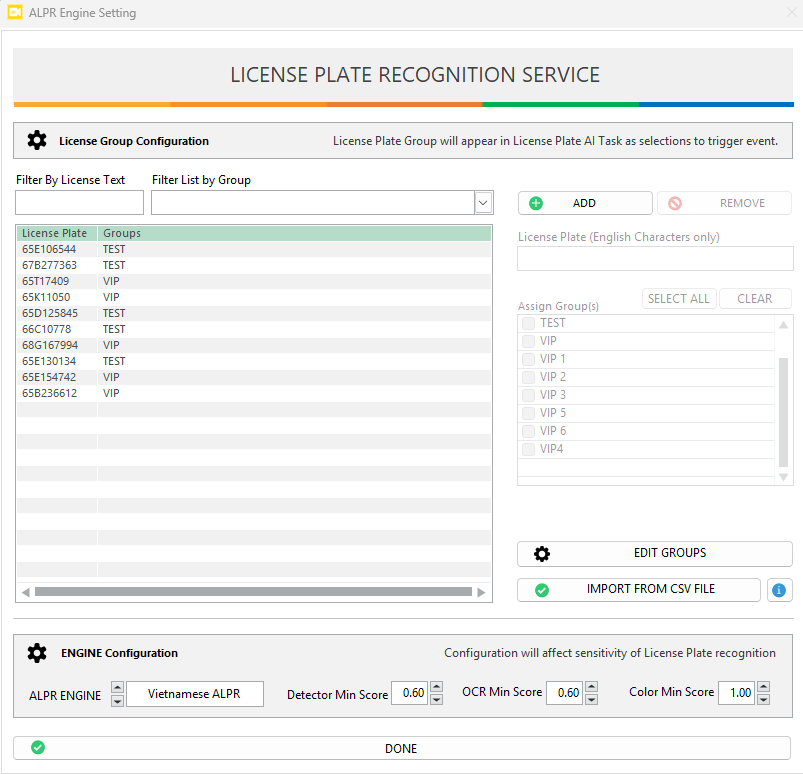
ALPR Engine Options
APLR Engine: Select the country you want to detect license plate. (Currently support: Vietnamese, Indonesia)Detector Min Score: Set the confidence level for plate detection. A lower value may detect more plates but may include false positives.OCR Min Score: Set the confidence level required for the OCR engine to confirm a recognized character. Higher values ensure greater accuracy but might miss unclear plates.Color Min Score: Set the confidence level for plate color detection. A lower value may detect may detect colors with lower confidence. Set to 0 if you want to disable this function. To see color detection in event log, enable theExtra infooption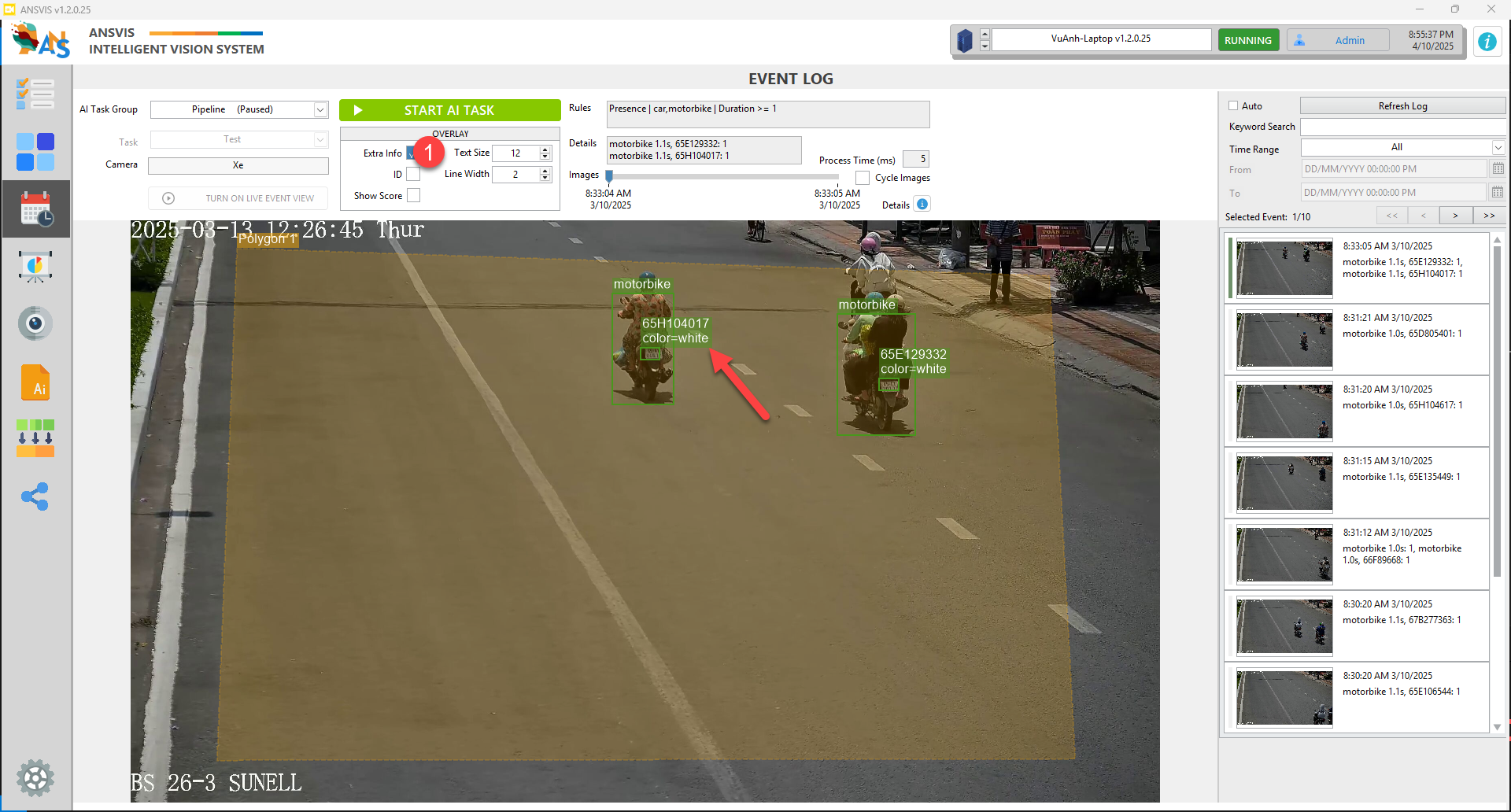
caution
The engine setting will be applied to all APLR tasks
License plate database
Having a license plates database allow you to create AI tasks that can focus on specific scenarios — such as parking systems, restricted areas, or monitoring VIP/blacklisted vehicles. This means instead of detecting every visible plate, ANSVIS will only trigger detection based on the license plate database
Add license plate
You can add license plate in two ways:
- Manual Entry: Press the
Addbutton to manually register a plate number into the system - Import from CSV: Press the
Import from CSV fileto upload a CSV file containing a list of license plates for bulk registration following ANS format (click theiicon to learn more).
Create license plate groups
- Press the
Edit Groupsbutton to start creating and managing groups (e.g., Employees, Visitors, Blacklisted, VIP) - After creating groups, you can now assign the license plates to one or more groups.
- Edit or remove groups anytime to match your operational needs.
Create custom license plate task
Now when creating a custom ALPR task, you can use filtering feature to tailor license plate detection based on your application